
PrivaClean — Phone Cleaner
Ahmed Abou ZamilTools
4.36.00 Reviews
- Version
- V1.0.4
- Installs
- 500.00K
- Age Rating
- Everyone
Screenshots
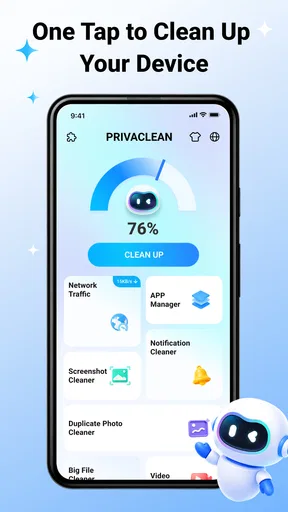
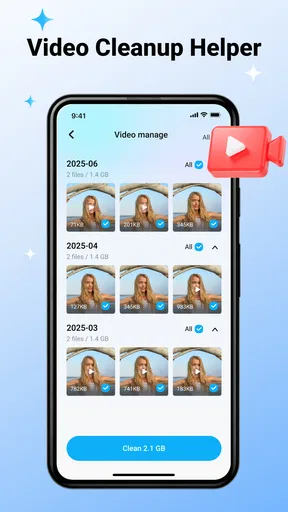
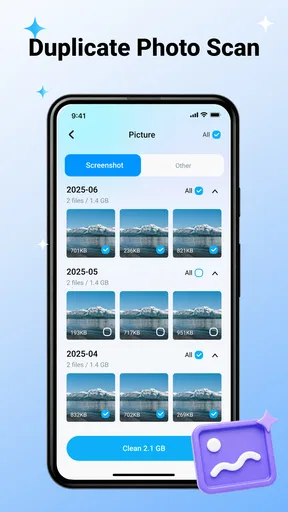
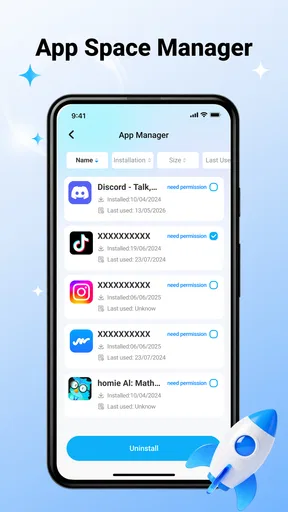
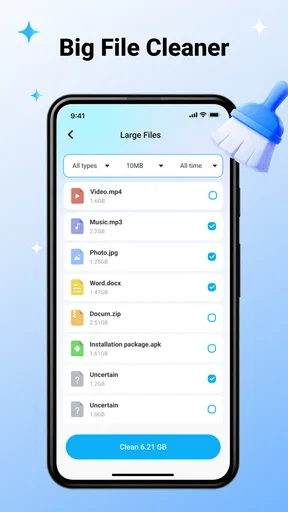
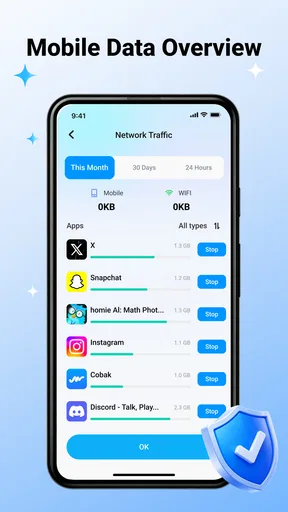
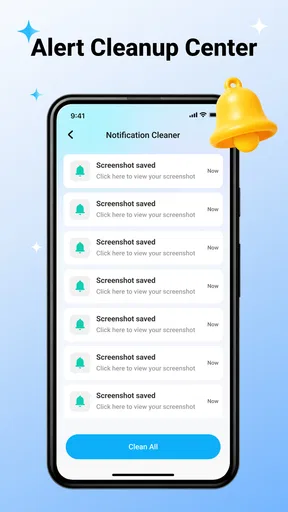
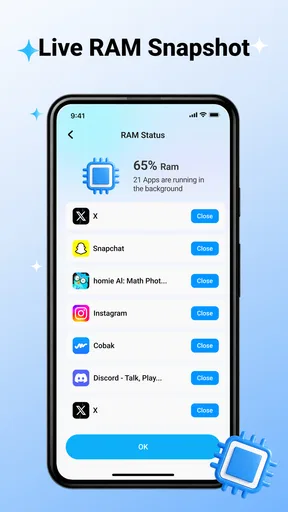
Our Review of PrivaClean — Phone Cleaner
 Analysis by Appyee
I approached PrivaClean as a practical phone-maintenance tool rather than a dramatic “make your device new again” solution. Its purpose is straightforward: help remove unwanted material and bring some order to photos, videos, and other files. That sounds simple, but the useful question is whether the app makes those chores safer and easier than doing them manually through a file manager or gallery.
My overall impression is that PrivaClean is aimed at people who want a focused cleanup experience without paying to get started. It is a free Tools app from Ahmed Abou Zamil, available to users on Android 7.0 or later, with an Everyone age rating. The current release is V1.0.4, and the app has already passed the half-million-install mark. Those details do not replace hands-on judgment, but they do suggest that this is intended as an accessible utility for ordinary phone owners, not a specialist maintenance product.
How PrivaClean fits into everyday phone cleanup
The app’s central appeal is organization. Instead of treating storage as one confusing block, it focuses attention on the kinds of content that usually become messy first: pictures, videos, and files. That makes sense because these are the areas where people accumulate duplicates, forgotten downloads, oversized recordings, screenshots, forwarded media, and documents that were useful once but no longer matter.
I find that focus more practical than a cleaner that simply displays a large storage number and encourages immediate deletion. A storage total tells me that a problem exists; it does not tell me what I can safely remove. A photo-and-file workflow is more useful because it connects the cleanup decision to recognizable content. When I can identify a screenshot, an old clip, or a downloaded document, I have a better chance of deleting deliberately rather than clearing something important by accident.
The name also puts privacy in the user’s mind, which is appropriate for an app handling personal media. Still, I would not interpret the name alone as a guarantee of a particular privacy architecture. The sensible way to use any cleanup tool is to review what it is presenting, confirm the selection, and avoid granting trust to an automated deletion process simply because the interface looks reassuring.
PrivaClean is best understood as an assistant for sorting and removing clutter. I would not rely on it as a substitute for a backup routine, cloud synchronization, or a proper archive. Those solve different problems. Cleanup reduces what is stored on the phone; backup protects memories and documents before anything is removed. Keeping those roles separate is one of the most important habits when using this kind of application.
What the free price means in practice
The clearest value point is that PrivaClean is free to use. That makes it easy to try without committing money first, which is especially useful if you are unsure whether a dedicated cleaner will fit your habits. A free entry point also changes the decision: you can judge the app by the quality of its organization and review process instead of wondering whether a purchase is justified before seeing how it handles your files.
Free does not automatically mean complete or superior to built-in tools. Your phone’s gallery, file manager, and storage settings may already cover basic deletion and sorting. The value of PrivaClean therefore depends on whether its presentation saves you time or gives you more confidence. If it merely repeats the same folders and actions you already understand, the benefit may be modest. If it helps you notice clutter that is difficult to find manually, the free price becomes much more attractive.
I would also avoid assuming that “free” means every possible function is permanently unrestricted. The confirmed price tells me that the app can be obtained without payment; it does not justify promises about advertising, optional purchases, or future pricing. For a careful decision, I would install it, inspect the cleanup flow, and see whether the free experience handles the categories I actually need before changing my regular routine.
That distinction matters because storage tools are often used only occasionally. Someone who clears their phone once every few months may not need an elaborate paid service. A free utility that makes the task less intimidating can be enough. On the other hand, a person managing a very large media library may value advanced sorting, backup integration, or deeper file analysis more than a no-cost starting point. PrivaClean’s strongest financial argument is convenience without an upfront purchase, not a promise that it replaces every other storage tool.
A safer workflow than deleting everything at once
My preferred way to use PrivaClean would be in small passes. I would begin with one category, such as videos, and inspect the suggested material before moving to photos or general files. This limits the consequences of a rushed decision and makes it easier to notice whether the app’s grouping matches my own understanding of the phone’s contents.
For photos, I would first separate disposable material from memories. Screenshots, temporary reference images, memes, and duplicate-looking shots are usually easier to judge than family pictures or travel albums. I would avoid making a large selection while tired or distracted, especially if several images look similar. A cleanup session should feel like sorting, not like pressing a panic button.
Videos deserve an even slower approach. A short clip may be easy to replace, while a personal recording may be impossible to recreate. Before removing a large video, I would open or preview it if there is any doubt, then verify that an important copy exists somewhere else. The same principle applies to files: a filename that looks old does not prove that the document is useless.
One useful habit is to clean in stages rather than chasing a perfect result. First remove obvious temporary material. Then revisit the remaining items after a day or two. That pause is valuable because it exposes impulsive decisions. If I still do not recognize a file or need it after the second review, the decision is usually clearer.
The most important feature of a cleaner is not how much it selects; it is how clearly it lets me verify the selection. That is the standard I would apply to every screen in PrivaClean. A smaller, understandable cleanup is better than an impressive-looking sweep that leaves me wondering what disappeared.
Where it can save time, and where it cannot
PrivaClean can be useful after a period of heavy phone use. Imagine returning from a family event with many short videos, screenshots exchanged in a group chat, and several versions of the same photo. Opening each folder manually can turn into a tedious search. A dedicated cleanup pass gives that mess a single place to be reviewed, which may make it easier to deal with while the context is still fresh.
It can also help before a trip, a system update, or a day when you expect to record a lot of media. In that situation, I would not wait until the phone is nearly full. Clearing obvious clutter beforehand creates breathing room and reduces the chance of discovering a storage problem at the worst moment. The app is more useful as a regular light-maintenance tool than as an emergency button pressed when the device can no longer save a photo.
Another practical use is preparing a phone for a family member. Older relatives may understand photos and messages but find file-management screens confusing. A focused cleaner may provide a simpler conversation: review these items, keep the important ones, and remove the rest. I would still supervise the first session, because familiarity with the person’s files matters more than any automatic grouping.
There are limits to what an app like this can accomplish. Removing clutter does not repair a failing battery, improve a weak network connection, or guarantee that the phone will feel dramatically faster. It may create more available space, but the visible effect depends on how crowded the device was and what kind of content is removed. I would judge it by reduced mess and easier storage management, not by expecting every performance problem to disappear.
How it compares with built-in phone tools
The usual alternative is to use the phone’s own gallery and file manager. Those tools have an important advantage: they are already familiar, and they are often closely connected to the operating system’s storage structure. If I only need to delete a few screenshots or move a document, opening the built-in tools may be faster than using another app.
PrivaClean becomes more compelling when the problem is not a single file but a scattered collection of clutter. A dedicated interface can encourage a deliberate review and make cleanup feel like a defined task instead of an endless walk through folders. That difference is about workflow rather than magic. The app earns its place if it helps me see and decide more efficiently.
Compared with broad “phone booster” utilities, I prefer the narrower purpose here. Claims about speeding up every part of a device are difficult to evaluate and can encourage unnecessary actions. A tool centered on photos, videos, and files gives me a clearer reason to open it. I know what I am trying to accomplish, and I can stop once that job is done.
There is also a trade-off against manual control. A file manager may expose folder paths, names, and locations that a cleaner presents in a more simplified way. If I am organizing project documents, transferring folders, or preserving a precise directory structure, the manual option may be better. PrivaClean is more suitable when the priority is reviewing personal clutter, not performing detailed file administration.
Small decisions that improve the results
I would begin by checking whether the app’s categories reflect the way I actually store content. Some people keep nearly everything in a camera folder; others receive media through messaging apps and downloads. A cleanup tool is most helpful when it brings those sources into a reviewable workflow. If I notice that important material is mixed with disposable items, I would slow down rather than trusting category labels blindly.
I would also avoid cleaning immediately after taking a large batch of photos. New images can look like duplicates when they are actually a sequence from the same moment, and the value of each frame may not be obvious until later. Waiting until I have chosen the best shots gives the cleanup process a clearer target.
For documents, I would use a simple three-way decision: keep, archive elsewhere, or remove. “Maybe” is not a useful permanent category, because it leaves the same clutter in place. If a file matters but does not need to stay on the phone, moving it to a trusted storage location before deletion is safer than treating cleanup as the only solution.
I would make one final pass through the device’s trash or recently deleted area after using the app, if the phone presents such a location. That step is important because deletion and permanent removal are not always the same action. It also gives me a chance to recover something I selected by mistake before it is gone for good.
Who will get the most value from it
PrivaClean makes the most sense for people whose phones are crowded with visual clutter and who want a dedicated place to review it. If your gallery contains years of screenshots, short clips, downloaded images, and forgotten files, the app’s focused purpose may be more approachable than a collection of separate system menus.
It is also a reasonable choice for someone who does not enjoy technical file management. You do not need to think like an administrator to benefit from a guided cleanup process. The important skill is judgment: recognizing what is disposable and protecting what is personal or irreplaceable.
Occasional users may appreciate the free access most. They can try the workflow when storage becomes uncomfortable and decide whether it is worth keeping installed. Because the application is rated for Everyone, it is positioned for a broad audience, although I would still guide children or inexperienced users through deletion decisions rather than leaving them to clean a shared device alone.
The app is less convincing for people who already maintain a disciplined photo library, regularly archive files, and feel comfortable with the built-in tools. In that case, another interface may add steps instead of removing them. It is also not the right choice for anyone seeking a complete backup, a professional document-management system, or a guaranteed cure for general phone slowness.
What the rating and adoption suggest
PrivaClean holds an average rating of 4.3 from roughly five hundred ratings, along with a small number of written reviews. I read that as encouraging but not definitive. A rating at that level suggests that many users find the basic idea useful, while the limited written feedback means I would rely more on my own first cleanup session than on the score alone.
Its install count is above 500K, which gives the app a meaningful level of public use. That is reassuring when choosing a utility, but popularity does not remove the need for care around personal files. I would still review every deletion screen and keep independent copies of anything important.
The developer, Ahmed Abou Zamil, has kept the product identity focused on a common problem rather than presenting it as a solution to every phone issue. I appreciate that narrower positioning. A cleaner is easier to judge when its job is clear, and PrivaClean’s job is helping users remove and organize personal storage content.
My buy-or-skip verdict
I would recommend trying PrivaClean if your phone feels disorganized and you want a free, focused way to review photos, videos, and files. The lack of an upfront cost makes experimentation easy, and the app’s value comes from turning an unpleasant storage chore into a more deliberate routine. I would use it slowly, category by category, with backups and previews taking priority over speed.
I would skip it if your needs are mainly advanced file transfers, detailed folder control, or reliable backup management. In those situations, the built-in file manager, gallery, or a dedicated backup service may be a better match. I would also skip any cleanup app, including this one, if I were not prepared to inspect selections carefully before deleting personal content.
For me, the deciding factor is not the promise of a dramatically faster phone. It is whether PrivaClean helps me make better storage decisions with less friction. As a free Tools app, it has a fair chance to earn a place on a cluttered device, especially for users who need structure more than technical depth. My recommendation is positive but measured: use it as a review assistant, keep your backups separate, and treat every deletion as a decision rather than an automatic improvement.
Verdict
Strengths of PrivaClean — Phone Cleaner
- Quickly identifies junk files, cached data, and leftover app files.
- Simple interface makes routine phone cleaning easy for beginners.
- Can help free storage space without requiring root access.
- Useful privacy tools help locate traces left by apps and browsing.
- Scan results are organized clearly for faster cleanup decisions.
Limitations of PrivaClean — Phone Cleaner
- Some recommended deletions may require careful review before confirming.
- Cleaning performance depends on Android version and device storage type.
- Frequent notifications may feel intrusive during regular phone use.
- Advanced features may be restricted behind in-app purchases.
- Removing cached files can make some apps load slightly slower initially.
Other Releases by Ahmed Abou Zamil
View All
NeatPulse — Phone Cleaner
Tools3.8
Similar Picks in This Category
View All
Google LLC4.0

Gboard - the Google Keyboard
Google LLC4.5

Google Play services
Google LLC4.3

Google Play Store
Google LLC4.9

Files by Google
Google LLC4.5

SHAREit: Transfer, Share Files
Smart Media4U Technology Pte.Ltd.4.3
Frequently Asked Questions
What is PrivaClean — Phone Cleaner used for?
PrivaClean — Phone Cleaner is designed to help identify and remove unnecessary files that may occupy storage space on an Android or iOS device. Depending on the version and available tools, this can include cached data, duplicate or unwanted photos, large files, and leftover items. It is mainly intended for storage organization and privacy-focused cleanup rather than dramatically improving every aspect of phone performance.
Is PrivaClean — Phone Cleaner safe to use?
The app can be useful when reviewing storage, but users should still check every suggested item before deleting it. Cleaner applications may request access to photos, files, contacts, or other device data so they can scan for content. Read the permission requests and privacy policy carefully, and avoid approving automatic deletion unless you are certain the selected files are no longer needed. Keeping a backup is recommended.
Can PrivaClean remove viruses or protect my phone from malware?
PrivaClean — Phone Cleaner should not be treated as a complete antivirus or malware-protection solution unless the official app listing specifically states that security scanning is included. Removing junk files, duplicate media, or browsing traces is different from detecting malicious software. For stronger protection, keep your operating system updated, install apps only from trusted stores, and use a reputable mobile security tool when necessary.
Will using PrivaClean make my phone faster?
The app may help a device feel more manageable by freeing storage space and removing unnecessary files, particularly when the phone is nearly full. However, it cannot guarantee a major speed improvement. Performance also depends on the device’s age, available memory, operating-system condition, and background applications. Review the cleanup results carefully, since deleting useful data will not improve performance and may create inconvenience.
Is PrivaClean — Phone Cleaner free to download and use?
Availability of free features, advertisements, subscriptions, and premium tools may vary according to the platform, region, and current version of PrivaClean. Before downloading or starting a trial, review the store page for pricing details and check how recurring billing works. If the app offers a subscription, confirm the cancellation process through Google Play or the App Store to avoid unexpected renewals.
